

"Dan, the Wi-Fi in the back bedroom is useless. Do I need one of those extender things?" Maybe. Or maybe you need mesh. Or maybe you just need to move your router off the basement floor. I see all kinds of homes, from compact ramblers to big two-stories with a finished basement and a heated garage, and the right answer really depends on the house. Here's how I explain the difference.
First, try the easy fixes
Before you buy anything, make sure your router is set up for success:
- Move it up high, out in the open, and toward the middle of the home.
- Get it out of cabinets and away from the furnace, the fridge, and the fish tank.
- Reboot it and check for updates.
These fixes alone clear up a lot of dead zones. My guide Better Wi-Fi at home: 7 simple fixes walks through them. If you've done all that and a room is still struggling, it's time to look at extra equipment.
What a Wi-Fi extender does
An extender (sometimes called a repeater or booster) is a single small device that plugs into an outlet. It picks up your router's Wi-Fi signal and rebroadcasts it farther.
Where extenders work well:
- Smaller homes with one stubborn room
- A single dead spot, like a back bedroom or a porch
- A quick, simple fix
The trade-offs:
- An extender can only pass along the signal it receives. If it's placed where the signal is already weak, it repeats a weak signal.
- Many extenders create a second network name, so your phone may cling to the wrong one as you walk around.
- Because the extender has to listen and talk at the same time, speeds through it are often lower than near the router.
What mesh Wi-Fi does
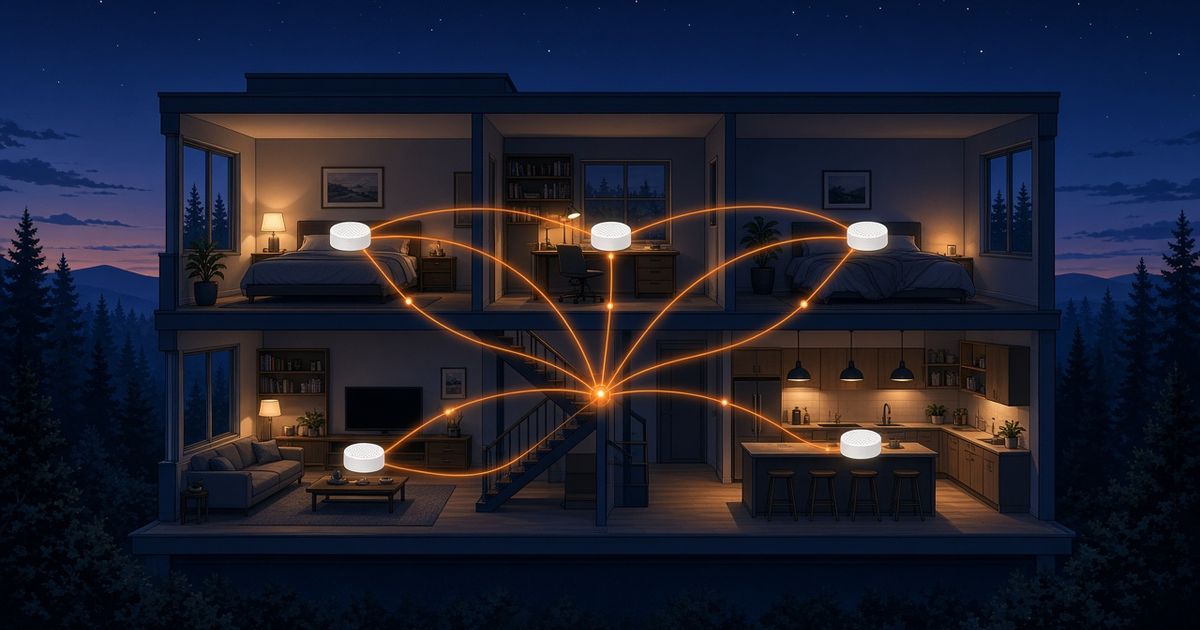
A mesh system uses two or more units that work together as one network. One connects to your internet, and the others are placed around the house. They talk to each other and hand your devices off as you move, so you stay on the same network name the whole time.
Where mesh works well:
- Larger homes or homes with several levels
- Homes with a finished basement, a far bedroom wing, or a detached office or garage
- Houses with thick walls, brick, or lots of metal and appliances in the way
- Busy households with lots of devices spread across the house
The trade-offs:
- It's more equipment than a single extender.
- It takes a little more setup, though many systems use a simple phone app.
- Placement still matters. Mesh units need a good signal from each other.
So which one does your home need?
Here's the quick version I give people:
| Your home | Usually a better fit |
|---|---|
| Small home, one weak room | Extender (after the easy fixes) |
| Medium home, a few spotty areas | Mesh, or a well-placed extender |
| Large or multi-level home | Mesh |
| Detached office, garage, or shop | Mesh, ideally with a wired link |
| Lots of devices across the house | Mesh |
These are starting points, not hard rules. If you're not sure, think about how many rooms are struggling. One room, try an extender. Several rooms or several floors, mesh is usually the cleaner answer.
Placement tips for either one
Whatever you choose, placement makes or breaks it:
- Go halfway, not all the way. Put the extender or mesh unit between the router and the dead zone, where the signal is still decent. Don't put it in the dead zone itself.
- Keep it out in the open. Same rules as the router: up high, not in a cabinet, not behind the TV.
- Use a cable if you can. Many mesh systems let you connect units with a network cable. That wired link is the steadiest way to carry a strong signal to a far room or outbuilding.
- Test after you move things. Run a speed test in the trouble room before and after.
When more Wi-Fi equipment won't help
If you test speed on a device plugged right into the router with a cable and it's still slow, more Wi-Fi gear won't fix it. The issue is the connection coming into the house. My guide How much internet speed does your household actually need? can help you figure out what fits, and my compare page shows how fiber, cable, 5G Home, satellite, and DSL differ.
FAQ
Can I mix an extender with a mesh system? It's usually best not to. Mixing them can create confusing networks and uneven performance. Pick one approach and place it well.
Does mesh make my internet faster? Mesh doesn't add speed to your connection. It spreads the speed you already have more evenly around the house, so far rooms get closer to what you get near the router.
How many mesh units do I need? It depends on the size and layout of your home. Start with what the system recommends for your square footage and floors, then add a unit only if a room still struggles.
Not sure which fits your house? Call or text me at 763-888-8211. I'm local, and I'm happy to talk it through, no pressure.
— Dan Amundson, Fiber Is Better
Check what's available at your address
Enter your ZIP code and I'll show you the fiber options where you live. Check your ZIP →